Overview
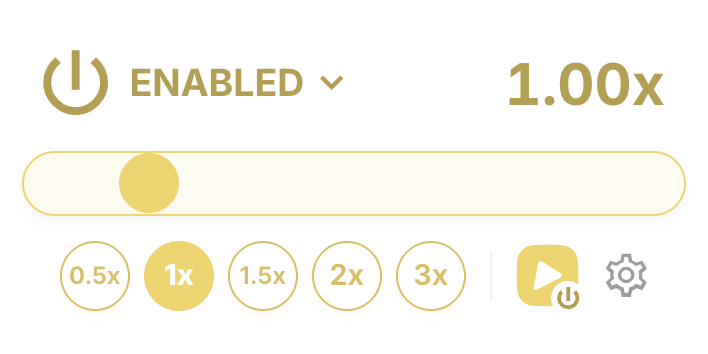
Speed Changer is a browser extension for Google Chrome and Microsoft Edge that allows you to play videos at 2x and faster (up to 16x faster or slower). It works great for YouTube, Instagram, TikTok, but also any other website.
Speed Changer features a modern and beautiful UI and a user-friendly experience. The extension has support for dark mode out of the box, making it the perfect choice for nighttime browsing.
Beside the traditional popup view, Speed Changer also features on-page controls in the form of floating buttons, which make it easy to change the speed for individual videos. Hovering over a floating button opens up a small menu from which you can pick a new speed for the given video only, without affecting other videos on the page. The floating buttons also implement the gestures that you use in your every day apps such as TikTok and Instagram — long pressing the floating button makes the video play at 2x, with the ability to lock the speed by pulling away while pressing. In Safari, you can have even more granular control over the speed using your touchbar — long pressing the floating button will make the video play at 1.5x while pressing it harder will make the video play at 2x.
Speed Changer supports keyboard shortcuts to control the speed for videos. Press Alt/⌥+2 to play at 2x, Alt/⌥+3 to play at 3x and so on. You can also modify the shortcuts to your preferences, using your own keyboard shortcut bindings.
Apart from video content, Speed Changer also supports audio content out of the box. It means that you can listen to your favorite podcasts at your desired speed, or create sped-up versions of your favorite songs right on the spot.
The extension is highly customizable so you can feel at home. You can configure the websites the extension is enabled on, modify the list of predefined speeds, change the default keyboard shortcuts to your preferred shortcuts, change the preferred position of the floating buttons relative to the video, and much more.
Features
 Control without Limits
Bypass platform limitations and play media content up to 16x faster or slower.
 On-Page Controls
No need to bounce between the page and the browser toolbar — the on-page floating buttons make changing the speed a breeze.
 Keyboard Shortcuts
Use your keyboard to quickly change the playback speed, or jump to a specific speed — all with a few keystrokes.
 Dark Mode Friendly
Don’t strain your eyes at night — the extension automatically adapts to the active color scheme of your browser.
 Audio Content Support
Listen to your favorite podcasts at your desired speed, or create sped-up versions of your favorite songs on the spot.
 Highly Customizable
Make yourself at home with the extension by adjusting the wide range of configuration options to your preferences.
Change the speed on a per-video basis, right from the page.
When the extension is enabled, you will see a floating button over each video, which you can use to easily control the playback speed for that video only.
By default, the floating buttons are only enabled on YouTube, Instagram and TikTok; you can enable them for all websites from preferences.
All the familiar gestures from the apps you use.
Quickly play videos at 2x by pressing and holding the floating button. Pull away while pressing to lock the speed.
 Safari-only.
On Macbooks or using Magic Trackpads, have more granular control
over the speed — press and hold to play at 1.5x, press harder to
play at 2x.
Safari-only.
On Macbooks or using Magic Trackpads, have more granular control
over the speed — press and hold to play at 1.5x, press harder to
play at 2x.
Available for free for Google Chrome and Edge.